
The safest route is a casino address that has been checked before credentials are entered. Search ads, messages and cloned sign-in forms can imitate a brand page, so saved bookmarks are more dependable than repeated searches. A legitimate recovery process sends instructions to the registered email and does not ask for a password through live chat.
Golden Crown welcome packageUp to A$16,500 + 350 free spins · 18+ · Terms apply
Play at Golden CrownGolden Crown login facts
Account access is shared across supported devices. The table distinguishes the normal sign-in route from recovery and verification.
| Access point | Golden Crown process |
|---|---|
| Desktop | Browser login with registered email and password |
| Android and iPhone | Responsive mobile website |
| Native casino app | Not available through Google Play or the Apple App Store |
| Forgotten password | Reset link sent to the account email |
| Verification | Documents uploaded through the account profile when requested |
| Support | Live chat and email, available 24/7 |
| After login | Balance, bonuses, history, cashier and game lobby |
How to sign in on desktop
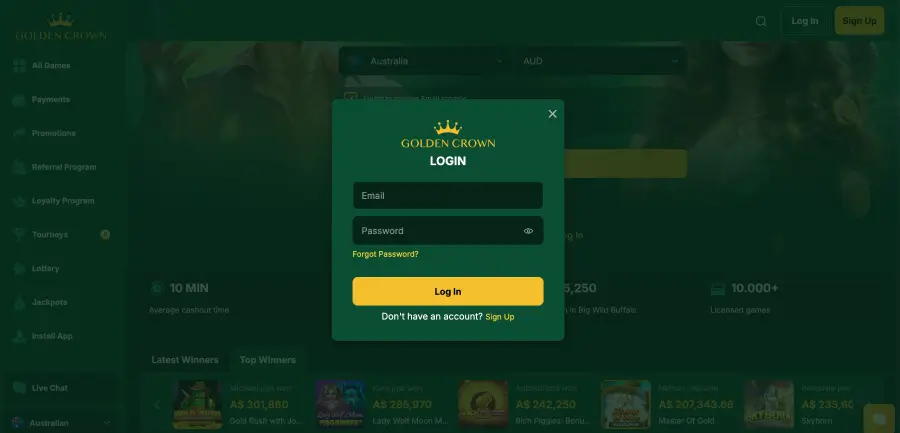
A computer browser presents the login control in the site header. New customers need to create an account before these steps apply; returning players should not register another profile to solve an access issue.
- Open the checked Golden Crown Casino address in a current browser.
- Select the login control in the header.
- Enter the email attached to the existing account.
- Type the password with the original capitalisation.
- Submit the form and allow the account dashboard to load.
A successful sign-in should reveal the real-money balance and account navigation. Before making a deposit, confirm that the displayed profile and currency are the expected ones. The broader Golden Crown Casino overview covers the platform beyond account access.
Golden Crown Casino login on mobile
On a phone or tablet, the menu contracts to fit the smaller display but the credentials and account remain unchanged. Open the mobile site in Safari or Chrome, locate the login control, enter the registered details and submit. The balance, promotions, games and cashier remain available after authentication.
A home-screen shortcut can reduce future navigation. It is a bookmark-like web launcher rather than installed casino software. Golden Crown does not distribute an official Android APK or an iPhone App Store application, so files claiming to provide a special login app should be avoided.
Saving credentials is appropriate only on a private, locked device. Anyone using a shared phone should decline browser storage and sign out after the session. The Golden Crown mobile guide gives Android and iOS shortcut instructions.
Resetting a forgotten password
Password recovery should begin from the login form rather than through a link sent by an unknown contact. Select the forgotten-password option, submit the registered email and inspect the inbox for the reset message. The spam folder is worth checking if it does not arrive promptly.
- Open the password-recovery control on the checked casino site.
- Enter the account email exactly as registered.
- Open the newest reset message sent to that address.
- Create a unique replacement that is not used on another service.
- Return to the site and sign in with the new password.
Repeated reset requests can leave several emails in the inbox, with older links becoming invalid. Use the most recent message. If the account email is no longer accessible, contact support and expect identity questions rather than opening a duplicate casino profile.
Access problems and practical fixes
Most login failures fall into a small set of categories. Change one factor at a time so the cause remains clear, and avoid rapid repeated attempts that may trigger an additional security check.
| Problem | Useful response |
|---|---|
| Password rejected | Check capitalisation, then use email recovery |
| Page returns to login | Remove the site's cookies and open a fresh tab |
| Form does not respond | Update the browser or try current Safari or Chrome |
| Old credentials reappear | Correct the browser password manager entry |
| Verification message shown | Open the account profile and follow the document request |
| Several devices remain signed in | End other sessions, change the password and retry |
Content blockers or strict cookie settings can prevent an authentication session from being stored. Temporarily reviewing those settings for the checked site can help, but security software should not be disabled broadly. If the service reports account restriction rather than a browser error, 24/7 support is the appropriate route.
Golden Crown is not licensed in Australia, and this status should not be confused with a temporary technical error. No VPN or alternate-address workaround is recommended.
Why KYC may appear after login
Know-your-customer checks connect an account to its holder and can be requested after a device change, account amendment or withdrawal submission. A prompt can require identity, address or payment evidence through the profile's upload area. Documents should be current, readable and consistent with the registered details.
Verification can pause a cashout until it is completed. The casino lists withdrawal handling of up to 48 hours after verification, so that period begins only once the required review has been satisfied. The Golden Crown withdrawal guide explains the later payment stages.
Send files only through the designated account route or an instruction confirmed by support. Public Wi-Fi is unsuitable for sensitive document uploads. A request to send a password, security code or full card secret is not part of routine KYC.
Account security checklist
Login protection depends on both the casino session and the player's device habits. These measures reduce avoidable exposure without making everyday access cumbersome.
- Bookmark the checked address instead of following unsolicited links.
- Use a long password that belongs only to the Golden Crown account.
- Protect the registered email with its own strong authentication.
- Do not store credentials on shared or public devices.
- Review transaction history after an unfamiliar login alert.
- Sign out of other sessions after losing or replacing a device.
- Contact support promptly if profile details change unexpectedly.
After regaining access, inspect active promotions before playing. A password reset does not extend bonus expiry or change wagering. Promotion mechanics are covered in the bonus guide.
Responsible account access
Easy access should not remove boundaries between gambling sessions. Use account limits where available, decide a stopping time before signing in and never chase an earlier loss. Golden Crown is not licensed in Australia and gambling is for adults aged 18 or over. Confidential advice and support are available through Gambling Help Online.
Golden Crown Casino login FAQ
These answers address access, recovery, mobile use, KYC and account safety.
What details are needed for Golden Crown login?
Use the email and case-sensitive password attached to the existing casino account. A new device does not require a separate profile.
Can Golden Crown Casino login work on a phone?
Yes. The responsive website supports Android and Apple browsers. The same credentials open the same balance, promotions, games and cashier.
How is a forgotten password changed?
Choose the recovery option on the sign-in form, submit the registered email and follow the newest reset message. Use support if that email can no longer be accessed.
Why does the login page keep reloading?
Stored cookies, an outdated browser or restrictive site settings can interrupt the session. Clear site-specific data, open a new tab and retry with a current browser.
Why are documents requested after sign-in?
A KYC review can be triggered by account activity, changes or a withdrawal. Upload readable documents through the account area and ensure their details match the profile.
Is there a Golden Crown login app?
No official native app is offered through the major app stores. Players use the mobile website and may save it as a home-screen shortcut.
What should happen after a suspicious login alert?
Change the casino and email passwords, end other sessions, inspect transactions and contact 24/7 support. Do not use a link inside an unexpected alert until its origin is checked.